Delete your Tableside account and data
You can delete your Tableside account and everything in it yourself, from inside the app, in a few seconds. If you no longer have the app, you can ask us by email instead (see below).
Delete in the app
- Open Tableside and tap You in the bottom bar.
- Scroll to the bottom and tap Delete my data, in red. Or tap your email address under Account, then Delete my data and account.
- Read what will be deleted, then tap Delete everything.
- If you signed in with Apple, Apple asks you to confirm once more. This lets us revoke Tableside's access to your Apple ID.
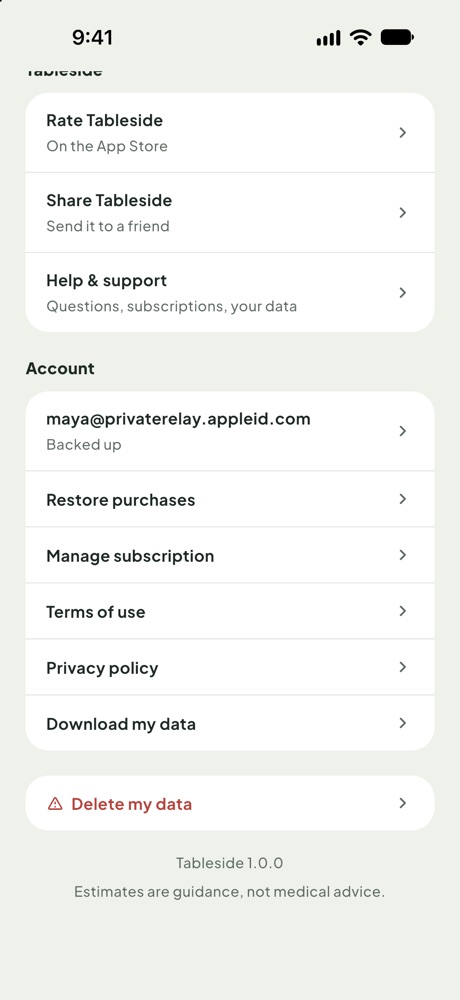
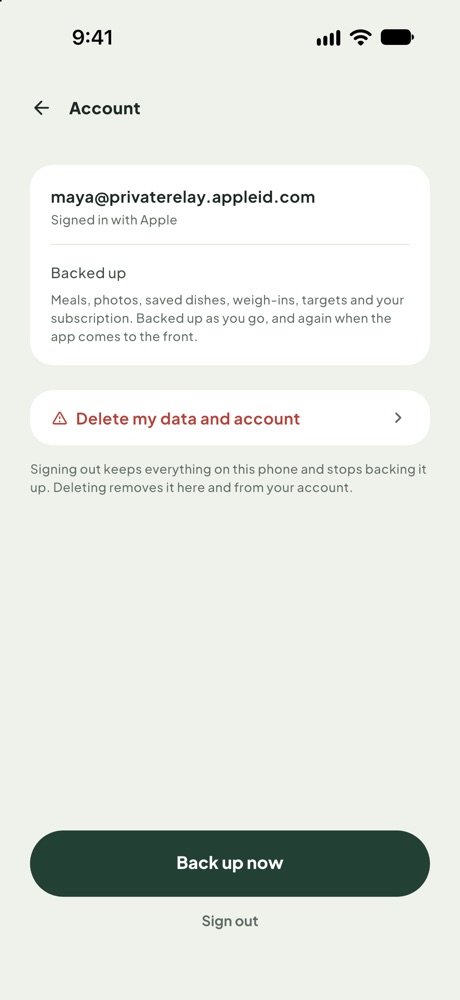
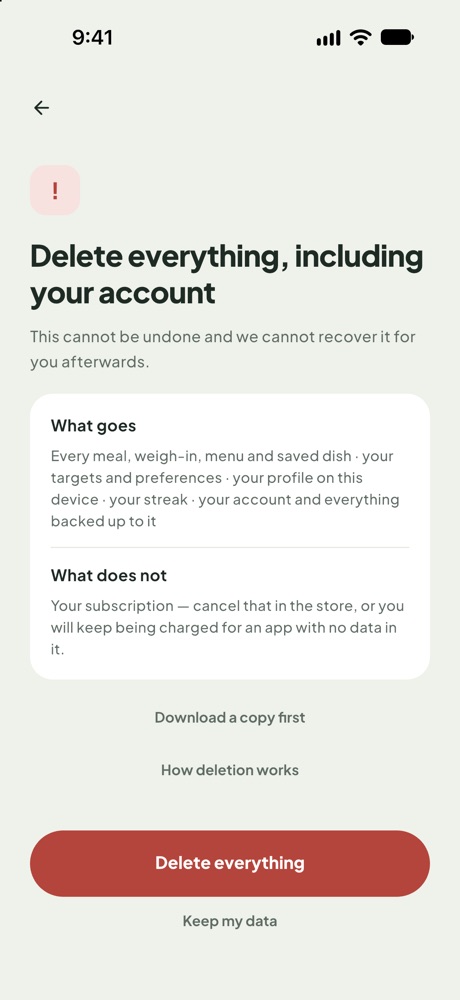
Deletion happens straight away. You are signed out and the app returns to its welcome screen.
What is deleted
- Your account (your sign-in with Apple or Google, your email address and account ID);
- everything backed up to it: meals, menu and plate readings, saved dishes, weigh-ins, your profile and targets, your streak and your meal photos;
- everything stored on the phone you delete from.
What is kept
- Dish confirmations you made on plate readings. They were never linked to your account, so they cannot identify you.
- Google Play subscription check records (Android only): the purchase token, product and result, kept as long as needed to support the subscription and handle disputes.
- Usage statistics and crash reports, which are not linked to your account, for up to 14 and 3 months respectively.
Nothing else is kept. See the privacy policy for details.
Deleting your account does not cancel your subscription. Cancel it in the store: on iPhone, Settings → your name → Subscriptions → Tableside; on Android, Google Play → profile icon → Payments & subscriptions → Subscriptions → Tableside.
No longer have the app?
Email sifatullahshah27@gmail.com with the subject “Delete my Tableside account”, from the email address you signed in with. If you used Apple's Hide My Email, send it from the Apple ID email; Apple forwards it through the relay address. We delete the account and everything listed above within 30 days and confirm by email.
If you never signed in, Tableside never stored your data on our servers. Deleting the app removes everything.